
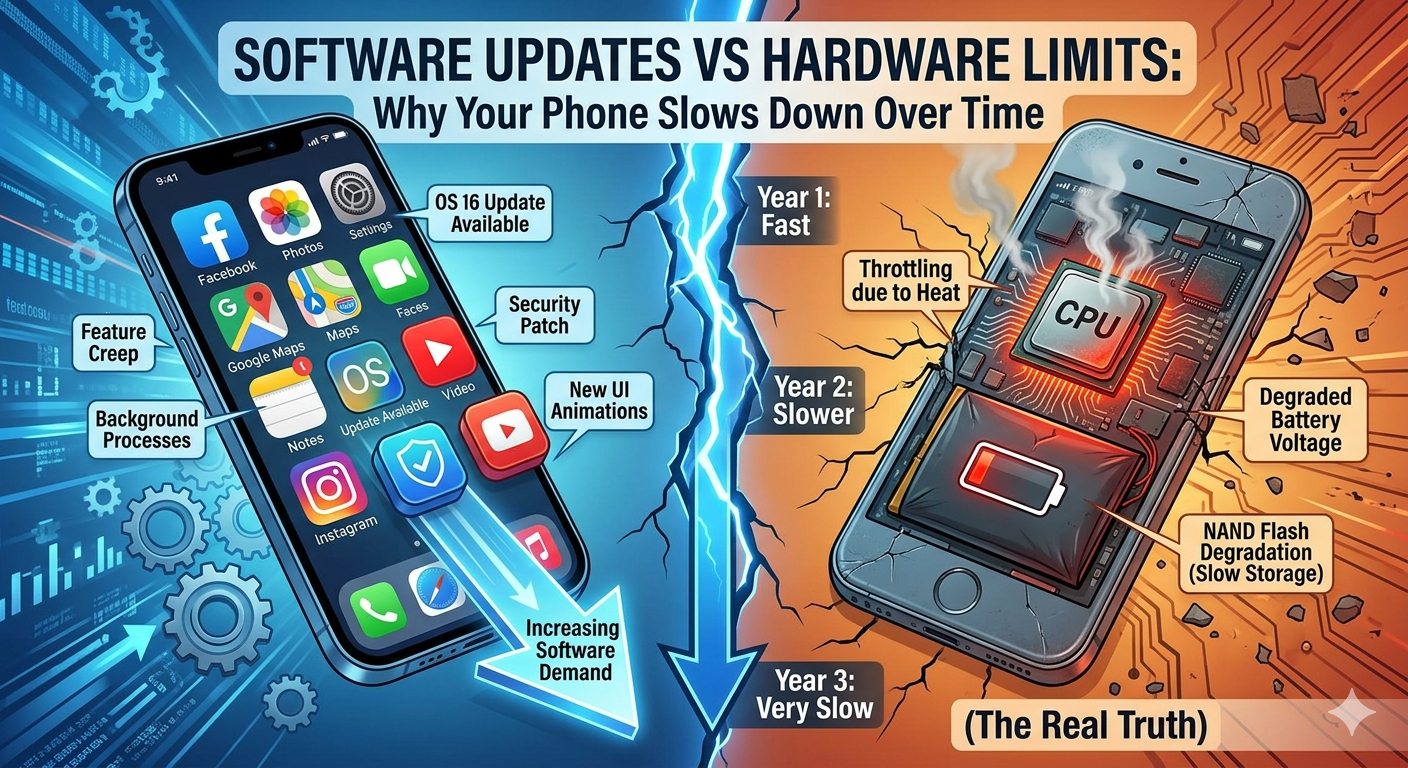
You buy a new smartphone, and it feels lightning fast. Apps open instantly, scrolling is smooth, and everything works perfectly. But after a year or two, the same device starts lagging. Apps take longer to load, the battery drains faster, and even simple tasks feel slower.
Most people assume: “My phone is old now.”
But the real story is more complex.
The slowdown is not just about age—it’s about the conflict between software updates and hardware limits. In this article, we’ll break down exactly how this happens, why it matters, and what you can do about it.
What Are Software Updates
Software updates are improvements released by companies to enhance your device’s operating system. For example, Android phones receive updates from Google, while iPhones get updates from Apple.
These updates usually include:
- New features
- Security patches
- Bug fixes
- Performance improvements (in some cases)
Sounds great, right? But there’s a hidden trade-off.
What Are Hardware Limits?
Hardware refers to the physical components inside your device:
- Processor (CPU)
- RAM
- Storage (SSD/Flash)
- Battery
Unlike software, hardware does not improve over time. In fact, it slowly degrades.
For example:
- Batteries lose capacity
- Storage becomes slower when full
- Chips struggle with modern workloads
So when new software arrives, it’s often designed for newer, more powerful hardware—not your older device.
The Core Problem: Mismatch Between Software and Hardware
Here’s the main issue:
👉 Software keeps evolving, but hardware stays the same (or gets worse).
New updates are designed to:
- Support advanced apps
- Improve visuals and animations
- Add background processes
- Enhance security layers
All of this requires more power, more RAM, and more processing capability.
Older devices simply can’t keep up.
How Software Updates Slow Down Your Phone
1. Heavier Operating Systems
Every new update adds features. Over time, the operating system becomes heavier.
For example:
- More animations
- More background services
- More system apps
Your phone’s processor now has to work harder for basic tasks.
2. Increased RAM Usage
Modern apps and systems consume more RAM than before.
If your phone has:
- 2GB or 3GB RAM → struggles badly
- 4GB RAM → moderate performance
- 6GB+ → smoother experience
When RAM is insufficient:
- Apps reload frequently
- Multitasking becomes slow
- Lag increases
3. Background Processes & Tracking
New updates introduce:
- Sync services
- Notifications
- AI-based features
- Data tracking systems
Apps like Facebook and Instagram constantly run in the background, consuming CPU and RAM.
4. Storage Fragmentation & Full Storage
As your phone fills up:
- Storage slows down
- System performance drops
Even apps like Google Drive and WhatsApp store large files locally, affecting performance.
5. Battery Degradation = Performance Drop
Over time, your battery weakens.
To prevent shutdowns, systems may:
- Reduce CPU speed
- Limit performance
This was famously highlighted in Apple’s case involving older iPhones.
Planned Obsolescence: Myth or Reality?
Many people believe companies intentionally slow down devices to force upgrades.
The truth is mixed:
Yes (to some extent):
- Companies optimize updates for newer devices
- Older devices get less optimization
- Hardware upgrades drive business
But also:
- Technology genuinely becomes more demanding
- Security updates require more processing
- App developers target newer hardware
So it’s not always a conspiracy—it’s often progress leaving older hardware behind.
Real-World Example
Let’s say you bought a phone in 2022 with:
- 4GB RAM
- Mid-range processor
In 2026:
- Apps are heavier
- OS is more complex
- Background processes increased
Result:
👉 Your phone struggles, even if it was “fast” before.
Why Updates Are Still Important
You might think: “Then I should stop updating my phone.”
That’s risky.
Updates provide:
- Security patches (protect against hacking)
- Bug fixes
- Compatibility with new apps
Without updates:
- Your data becomes vulnerable
- Apps may stop working
So the goal is not to avoid updates—but to manage them wisely.
How to Balance Software Updates and Performance
1. Avoid Immediate Updates
Wait a few weeks before updating.
Why?
- Early versions may have bugs
- Performance issues get fixed later
2. Keep Storage Free
Maintain at least:
- 20–30% free storage
Delete:
- Unused apps
- Large videos
- Cache files
3. Limit Background Apps
Disable unnecessary background activity:
- Social media apps
- Auto-sync services
4. Use Lite Versions of Apps
Apps like:
- Facebook Lite
- Messenger Lite
Use less RAM and storage.
5. Replace Battery (If Possible
A new battery can:
- Improve performance
- Extend device life
6. Factory Reset (Last Option
If your phone is extremely slow:
- Backup data
- Reset device
This removes clutter and improves speed.
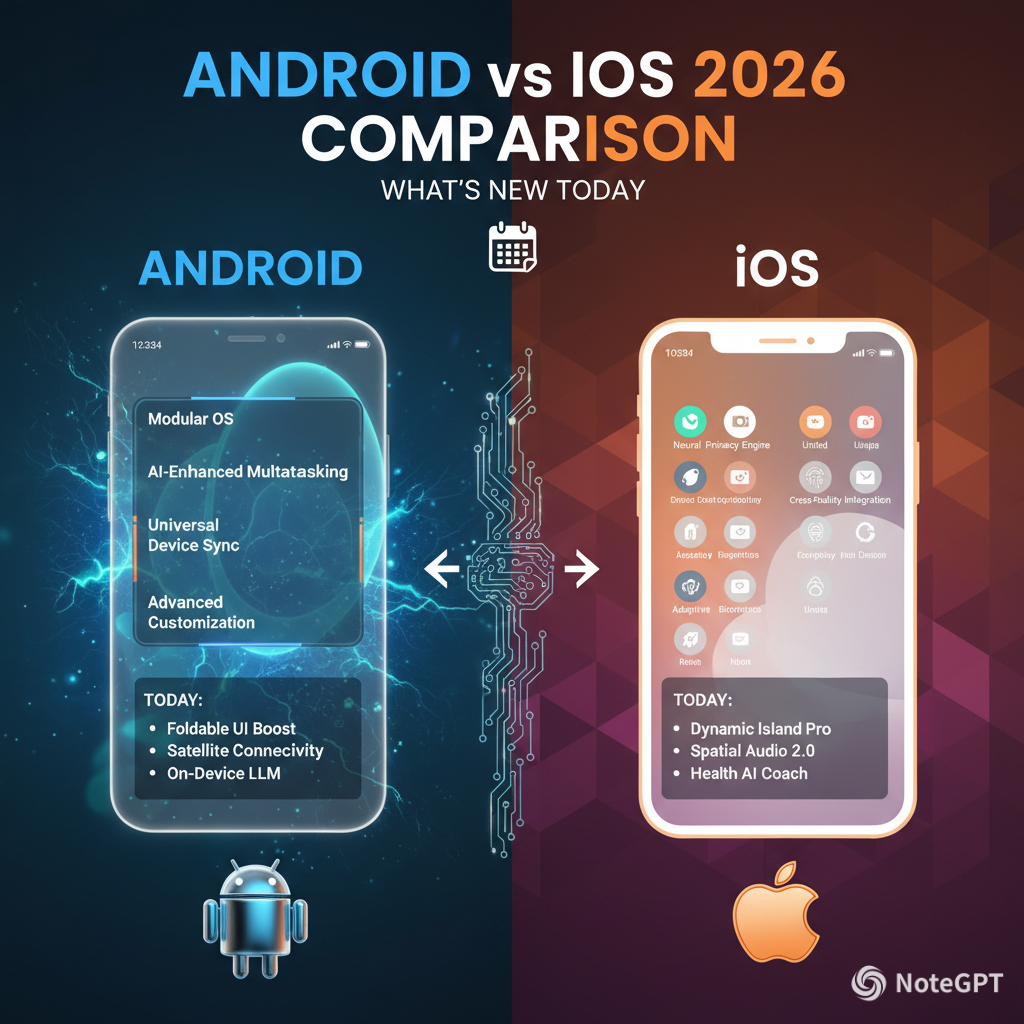
Android vs iPhone: Who Handles This Better?
Android Devices
- More variety in hardware
- Updates depend on manufacturer
- Performance varies widely
iPhones
- Better optimization between hardware and software
- Longer update support
- Still experience slowdowns over time
Companies like Samsung and Xiaomi are improving update policies, but challenges remain.
The Future: Will This Problem Ever End?
Not completely.
As technology evolves:
- Apps become more advanced
- AI features increase
- Systems require more resources
However, improvements are happening:
- Better chip efficiency
- Smarter software optimization
- Cloud-based processing
Key Takeaways
- Your phone doesn’t slow down just because it’s “old”
- The real issue is software updates vs hardware limits
- Updates demand more resources than older devices can provide
- Proper management can extend your phone’s life
Final Thought
Technology is designed to move forward—not stay the same.
Your device isn’t failing you. It’s simply trying to keep up with a world that’s constantly evolving.
👉 The smart approach is not to avoid updates—but to understand them.
Because once you understand how software and hardware interact, you stop blaming your phone—and start using it more intelligently.









Leave a Reply